API Protection > Class - API Protection > Module 2 - Additional Security - Bot Defense and WAF Source |
Lab 2.3 - Tweaking the WAF Policy to provide additional security
APIs are a collection of technologies just like any other application, in the lab the api is built on top of a windows server using powershell. This lab demonstrate how to tune the WAF policy to use attack signatures and meta-character enforcement to provide additional protection against malicious clients.
Meta-character enforcement allows the WAF admin to enforce which characters are allowed into a web application, whether it be in the header, url or parameter. In this lab we examine parameter meta-character enforcement.
Task 1 - Configure Attack Signatures and Change WAF Policy to Blocking
Note
Ensure you are logged into BIGIP1
- Open a command prompt on the jumphost (a shortcut is on the desktop)
- Run the following command curl -k “https://api.acme.com/vulnerable?Inject=|powershell%20badprogram.ps1” -v
Pay special attention to the double quotes (“”) around the url.
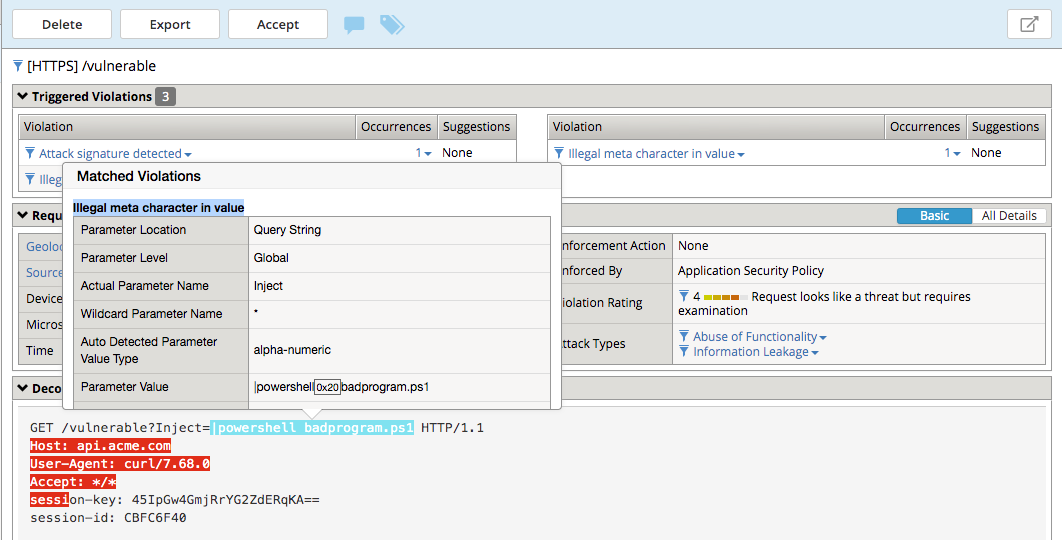
4. Navigate to Security -> Event Logs -> Application -> Requests and find this latest request. Locate the parameter value |powershell badprogram.ps1. Hover over this and additional details will describe this part of the attack.
Note
The Enforcement Action is None
The F5 waf highlights the part of the request it detects as malicious based on the policy’s configuration. This can be very useful for learning and troubleshooting purposes.
- Next hover over the User-Agent portion of the request.
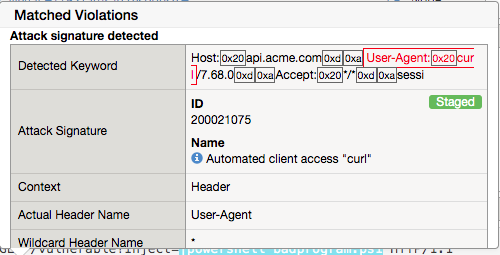
Notice the user-agent is curl, which may be a legitimate client. Make note of this.
Ideally we want to block any malicious request, in this case the powershell execution attempt, but want to allow curl as its a legitimate client in our case. What about the %20 meta character, should it be allowed? Depending on the application, this could be legitimate. In your environment, you must decide what is legitimate and what is illegitimate traffic, the F5 WAF can guide you via learning and help eliminate noise using Bot Defense, however to increase security beyond a basic waf policy, understanding the application is needed.
- Click on the Security -> Application Security -> Policy Building -> Learning and Blocking Settings -> Attack Signatures and click Change
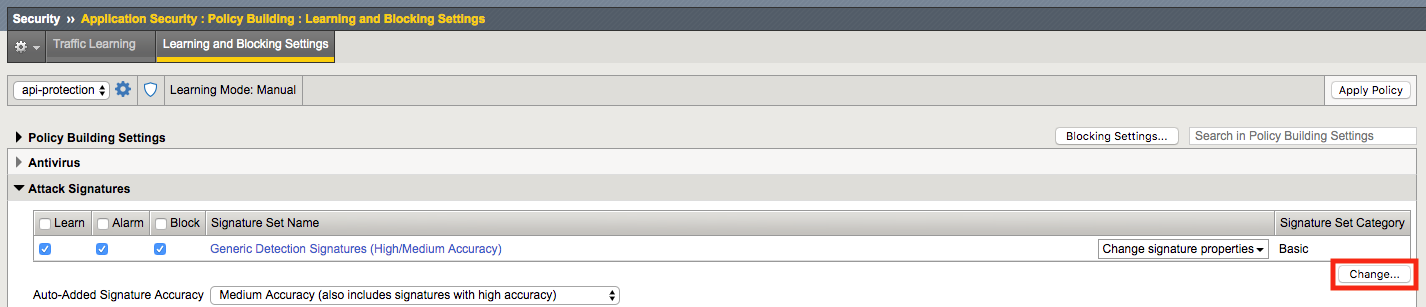
- Enabled Command Execution Signatures and click Change
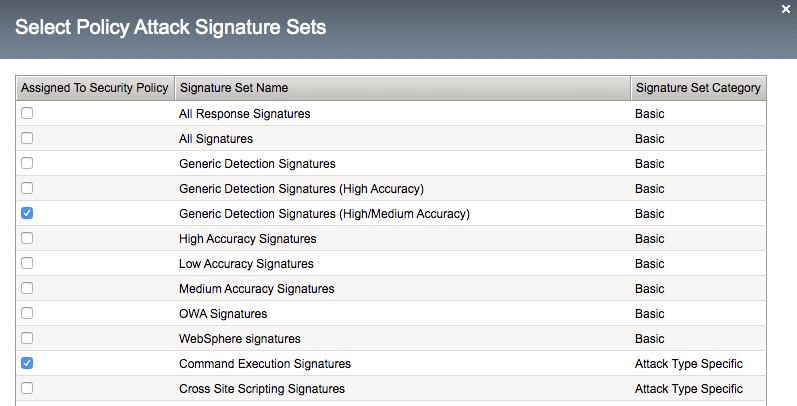
- Scroll to the bottom anc click Save.

- Navigate to Security -> Application Security -> Security Policies -> Policies List.
- Click api-protection
- Click Attack Signatures
- Click the filter icon to easily locate the Automated client access “curl” signature.

- For the Attack Signature Name enter Automated client access “curl” and click Apply Filter.
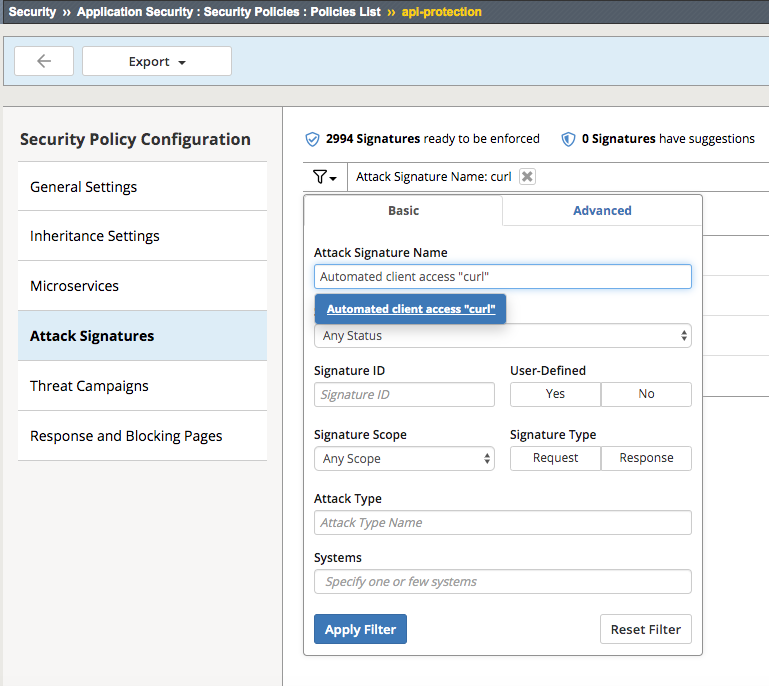
The result is

- Select this signature and click Disable

- Click General Settings
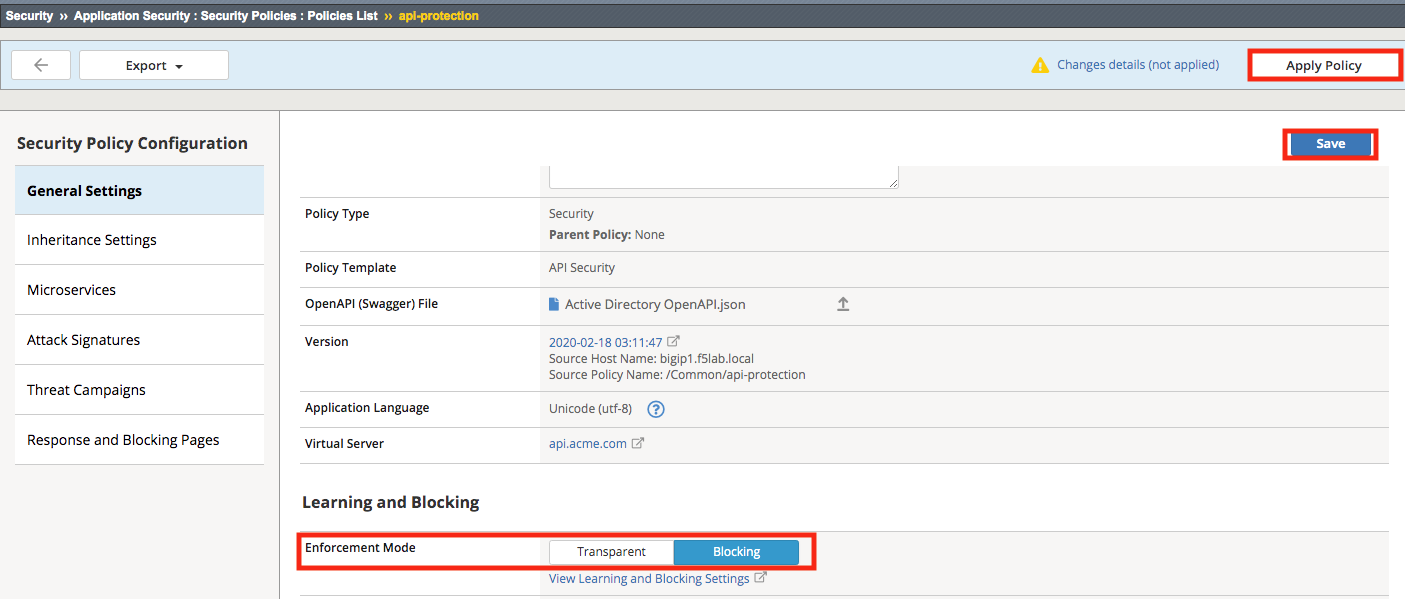
- Once again run the following command curl -k “https://api.acme.com/vulnerable?Inject=|powershell%20badprogram.ps1” -v
Pay special attention to the double quotes (“”) around the url.
Notice the user-agent curl is no longer highlighted (since the signature was disabled).
- Navigate to Security -> Event Logs -> Application -> Requests and find this latest request.
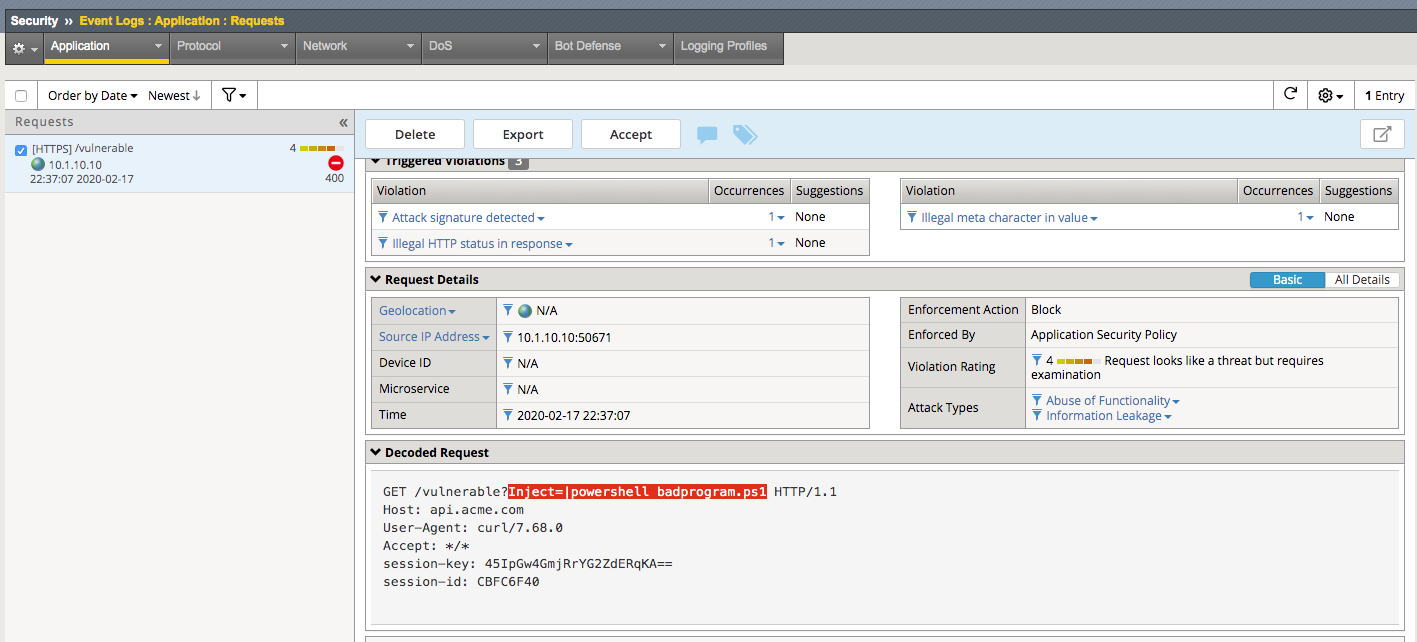
Notice the enforcement action is now Block.
- Hover over the highlighted payload and notice that the powershell attack signature is triggered.
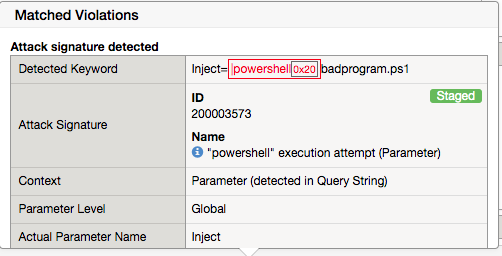
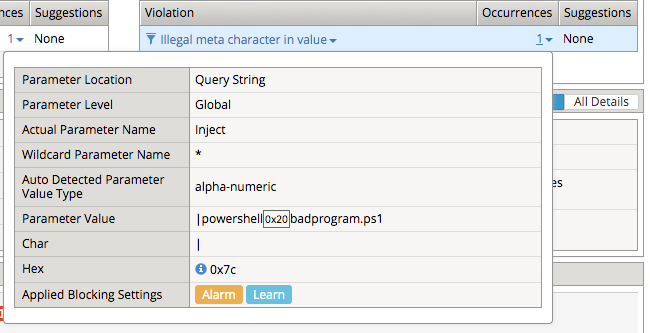
Powershell execution via http parameters is now mitigated. If you noticed in the request, that the | is considered illegal. What if that character was a legimate value for a parameter?
- Go back to the command prompt on the jumphost and run
curl -k “https://api.acme.com/vulnerable?param1=|legitimate%20value” -v
- Navigate to Security -> Event Logs -> Application -> Requests and find this latest request. Notice the | is considered illegal. However its not blocked, the Enforcement Action is None
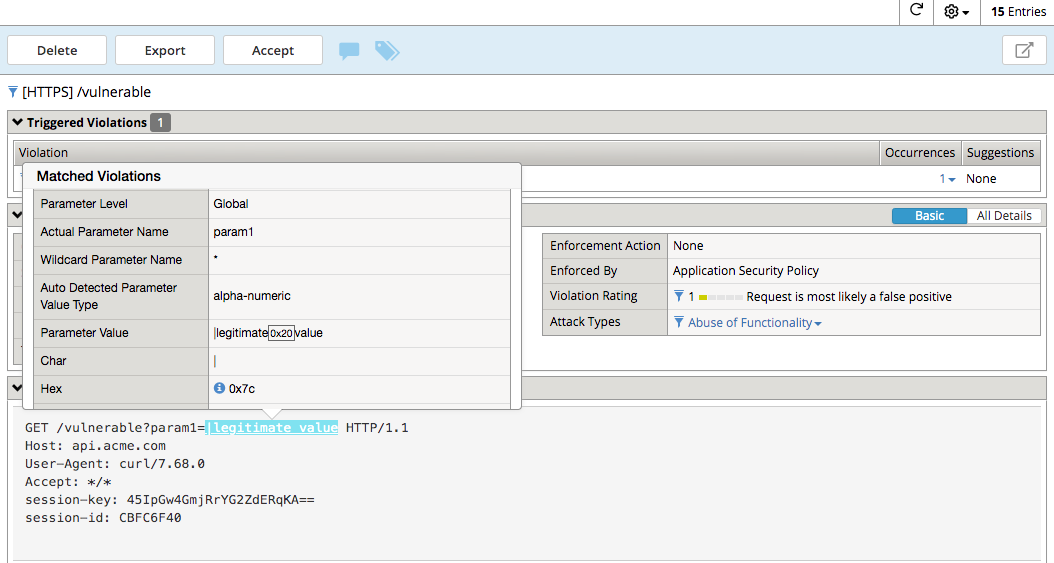
- To see why this parameter character violation is not being blocked, but is being logged (alarmed). Navaigate to Security -> Application Security -> Policy Building -> Learning and Blocking Settings and enable the Block column for the Illegal meta character in value under the Parameters Section
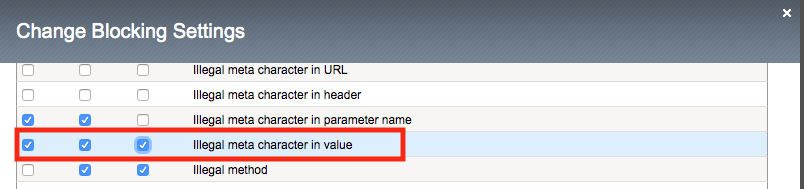
Click Change
- Click Save then Apply Policy
- Go back to the command prompt on the jumphost and run
curl -k “https://api.acme.com/vulnerable?param1=|legitimate%20value” -v
- Navigate to Security -> Event Logs -> Application -> Requests and find this latest request. Notice the | is considered illegal and is now blocked.