API Protection > Class - API Protection > Module 2 - Additional Security - Bot Defense and WAF Source |
Lab 2.4 - Protect against a SSRF attack
Task 1 - Implement Static Parameter values
- From Postman, run Get-SSRF Attack-Dummy. Notice you get content from Google via api.acme.com/vulnerable. This endpoint is vulnerable to Server Side Request Forgery attacks


- From Postman, run Get-SSRF Attack-unprotected-json. This site contains example ID and keys in JSON format. Hackers will uses your servers as a jump off point to gain access to internal resources


- Navigate to Security -> Event Logs -> Application -> Requests and find both requests. Notice nothing appears malicious about these requests except for the destinations.
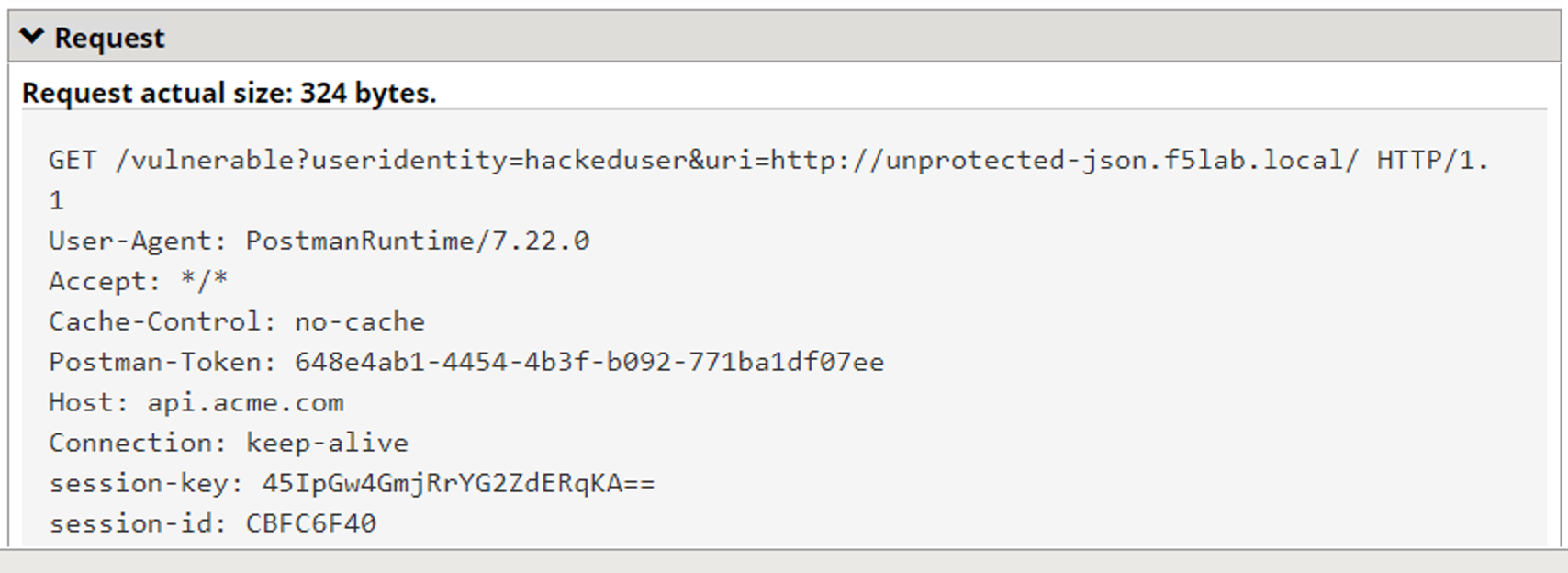
- We are going to secure the the uri parameter, so it only allows access to Google, but not access to private data hosted internally.
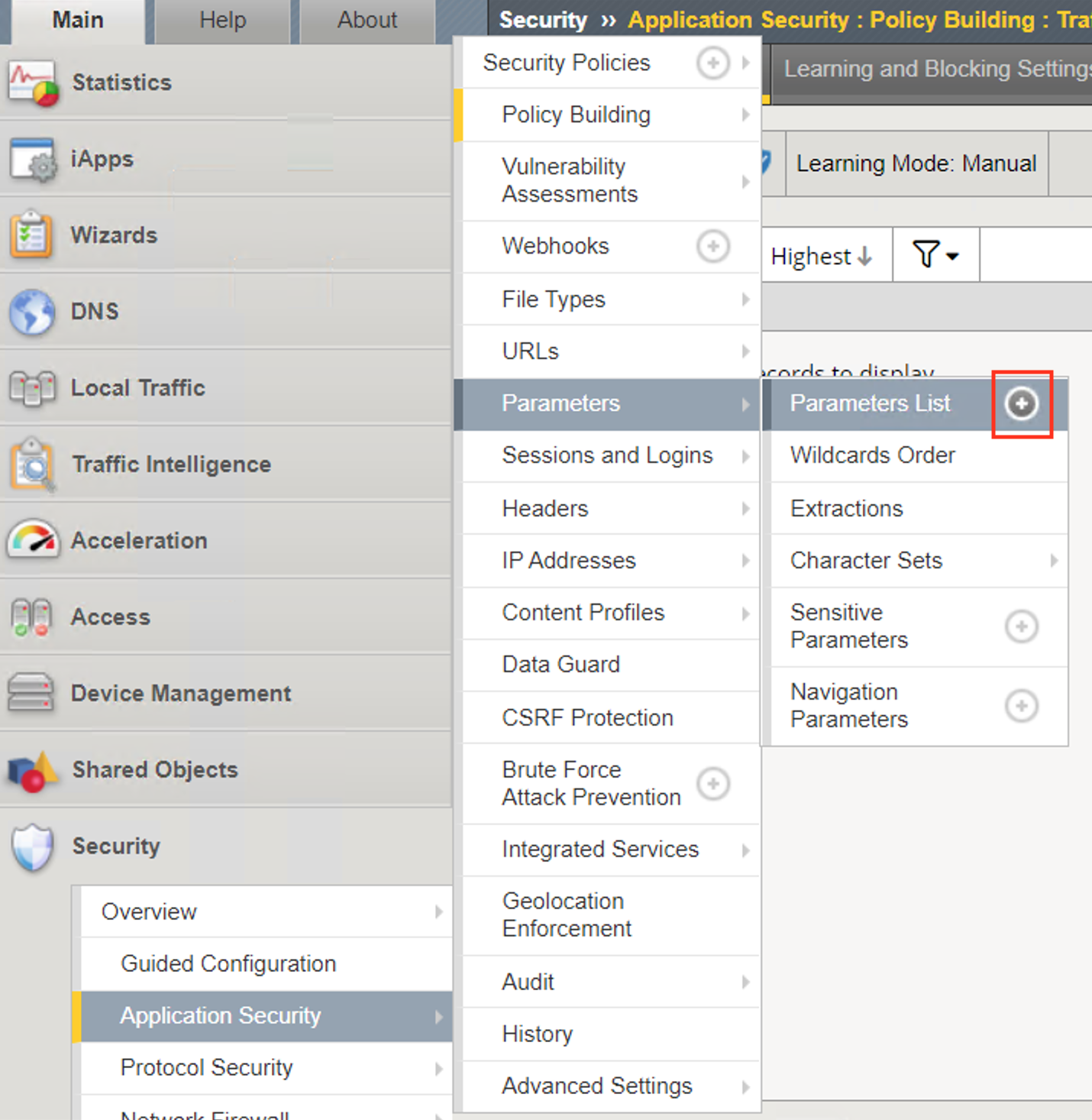
- Navigate to Security -> Application Security -> Parameters -> Parameters List. Click the + Plus Symbol
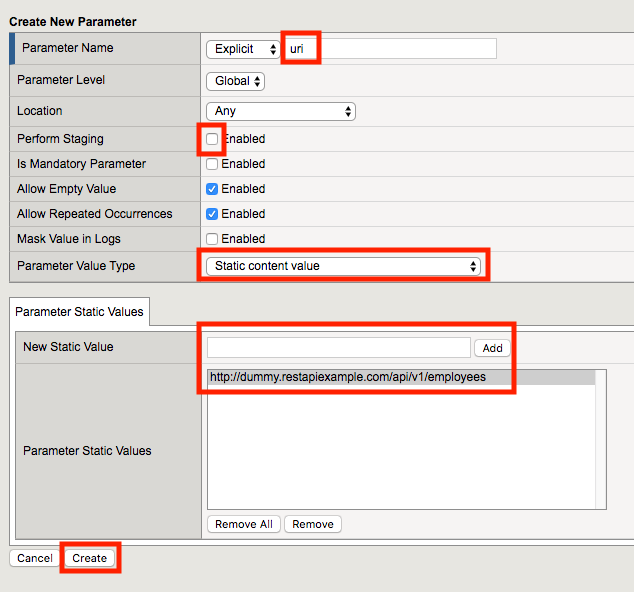
- Enter the Name uri
- Uncheck Perform Staging
- From the Parameter Value Type dropdown select Static Content Value
- Enter http://dummy.restapiexample.com/api/v1/employees for the New Static Value
- Click Add
- Click Create
- Click Apply Policy
- From Postman, run Get-SSRF Attack-Google. Access to Google is still allowed.
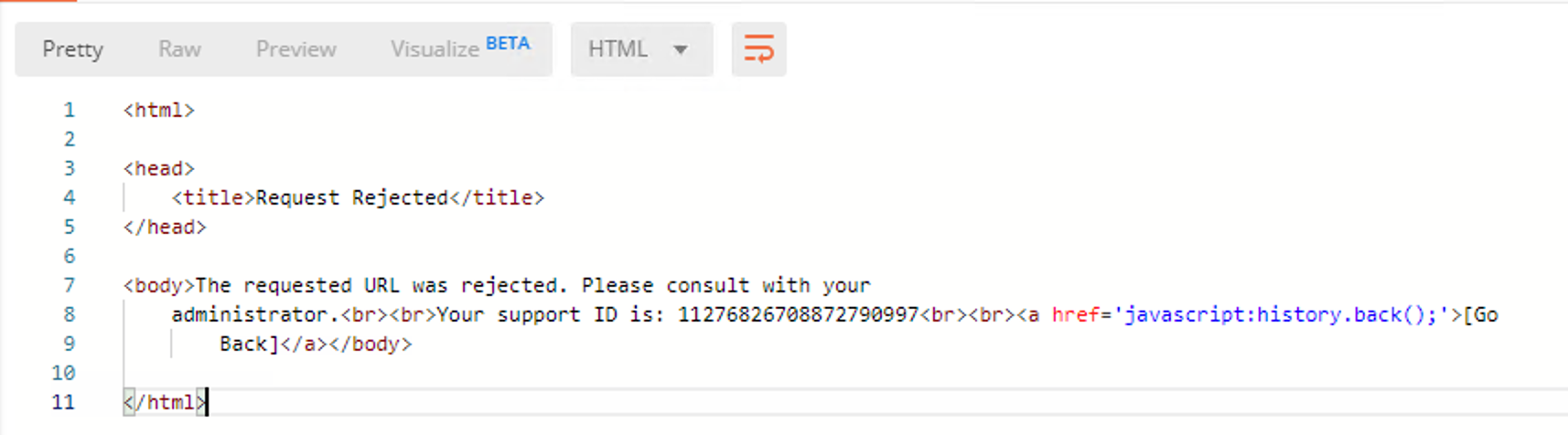
- From Post, run Get-SSRF Attack-unprotected-json. This site is now blocked as intended
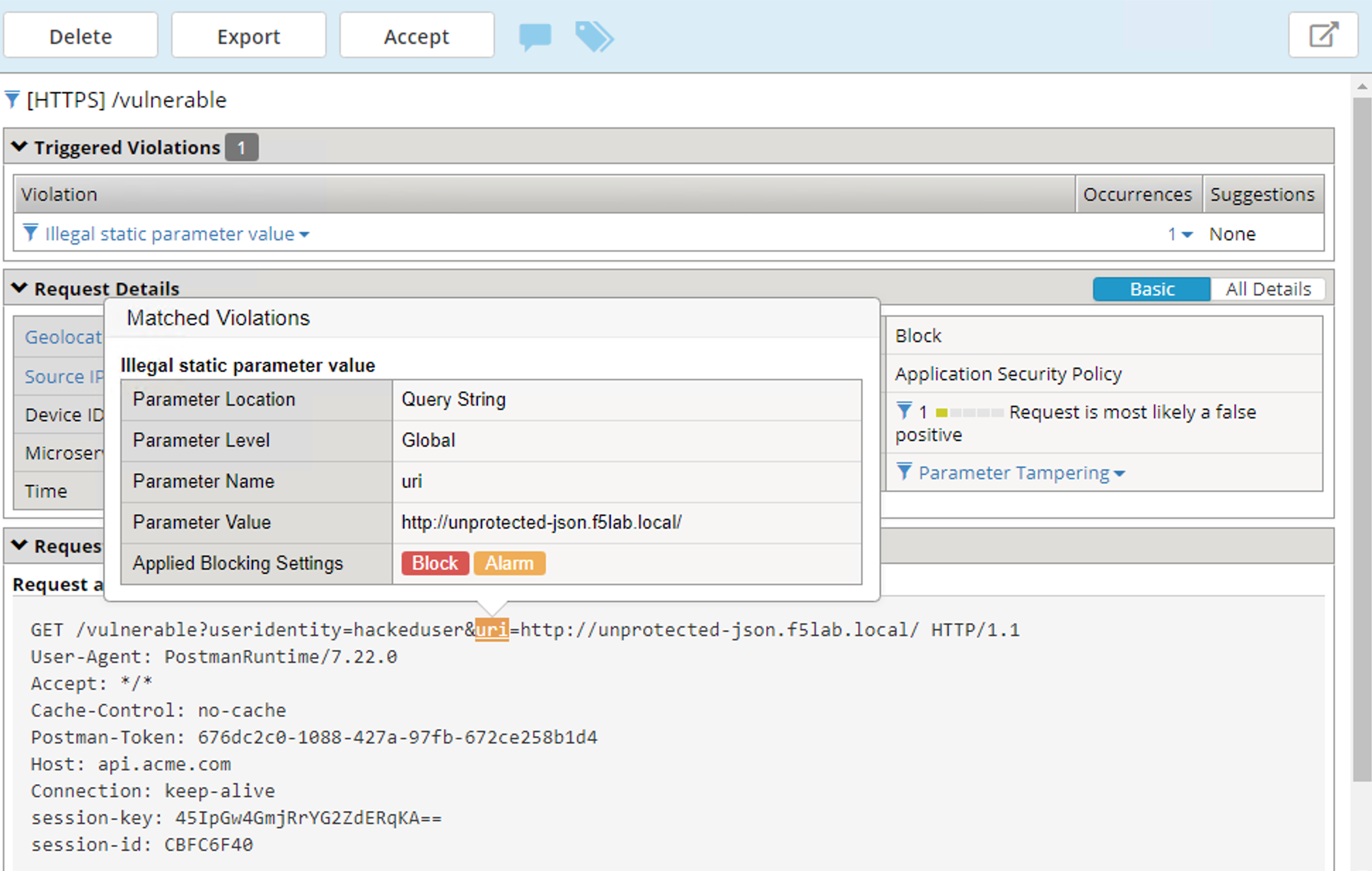
- Navigate to Security -> Event Logs -> Application -> Requests and find the latest blocked request. The uri parameter is highlighted due to Illegal Static Parameter Value.