API Protection > Class - API Protection > Module 1 - Deploy an API Protection Profile Source |
Lab 1.2 - Create an API Protection Profile
The API Protection profile is a combination of APM and AWAF features to protect any API.
Task 1 - Create an API Protection Profile
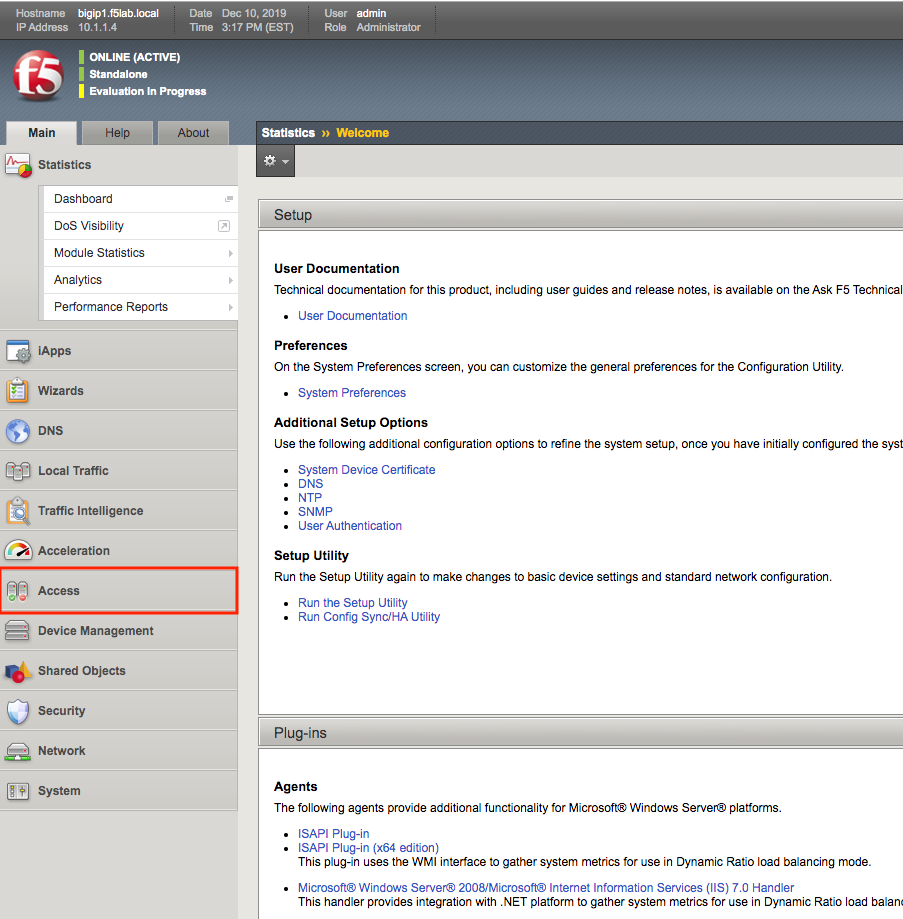
- From the web browser, click on the Access tab located on the left side
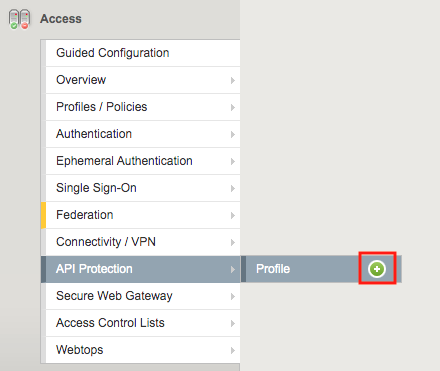
- Navigate to API Protection >> Profile. Click the + (plus symbol)
Note
json file is located on the jumpbox in c:\Labfiles\Agility2020-API Protection
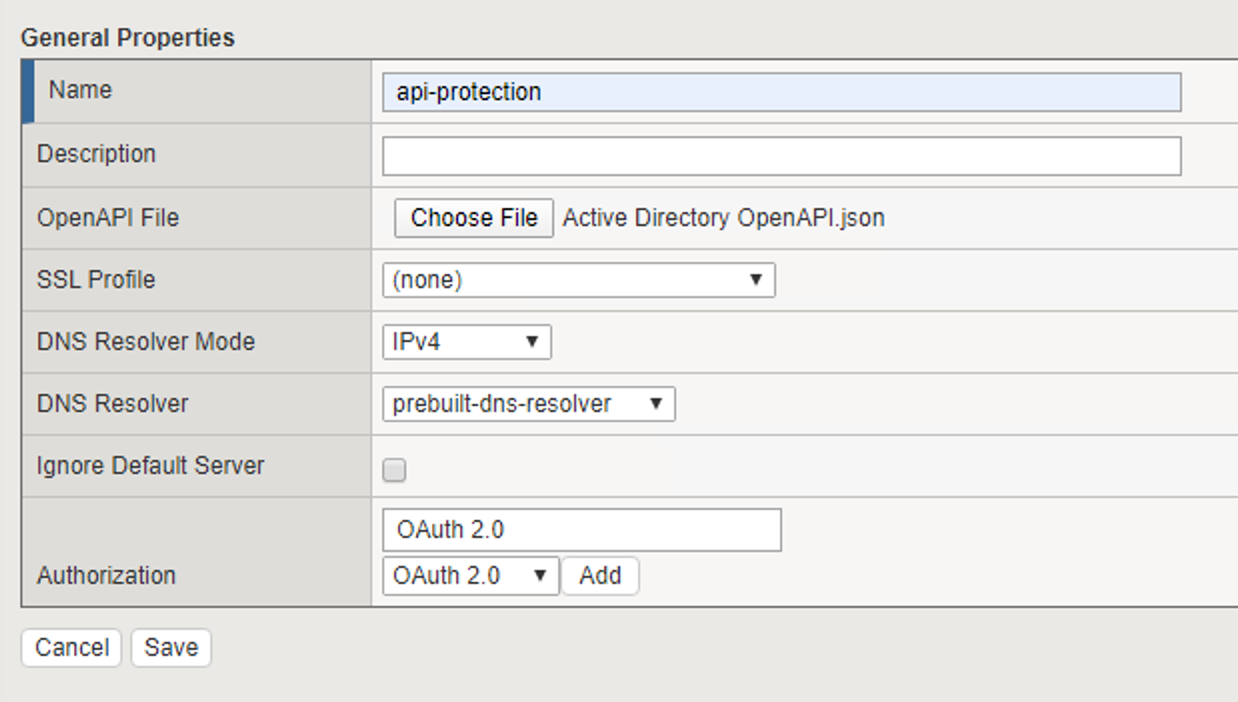
- Enter the following parameters:
- Name: api-protection
- OpenAPI File: Active Directory OpenAPI.json
- DNS Resolver: prebuilt-dns-resolver
- Authorization: OAuth 2.0
- Click Add
- Click Save
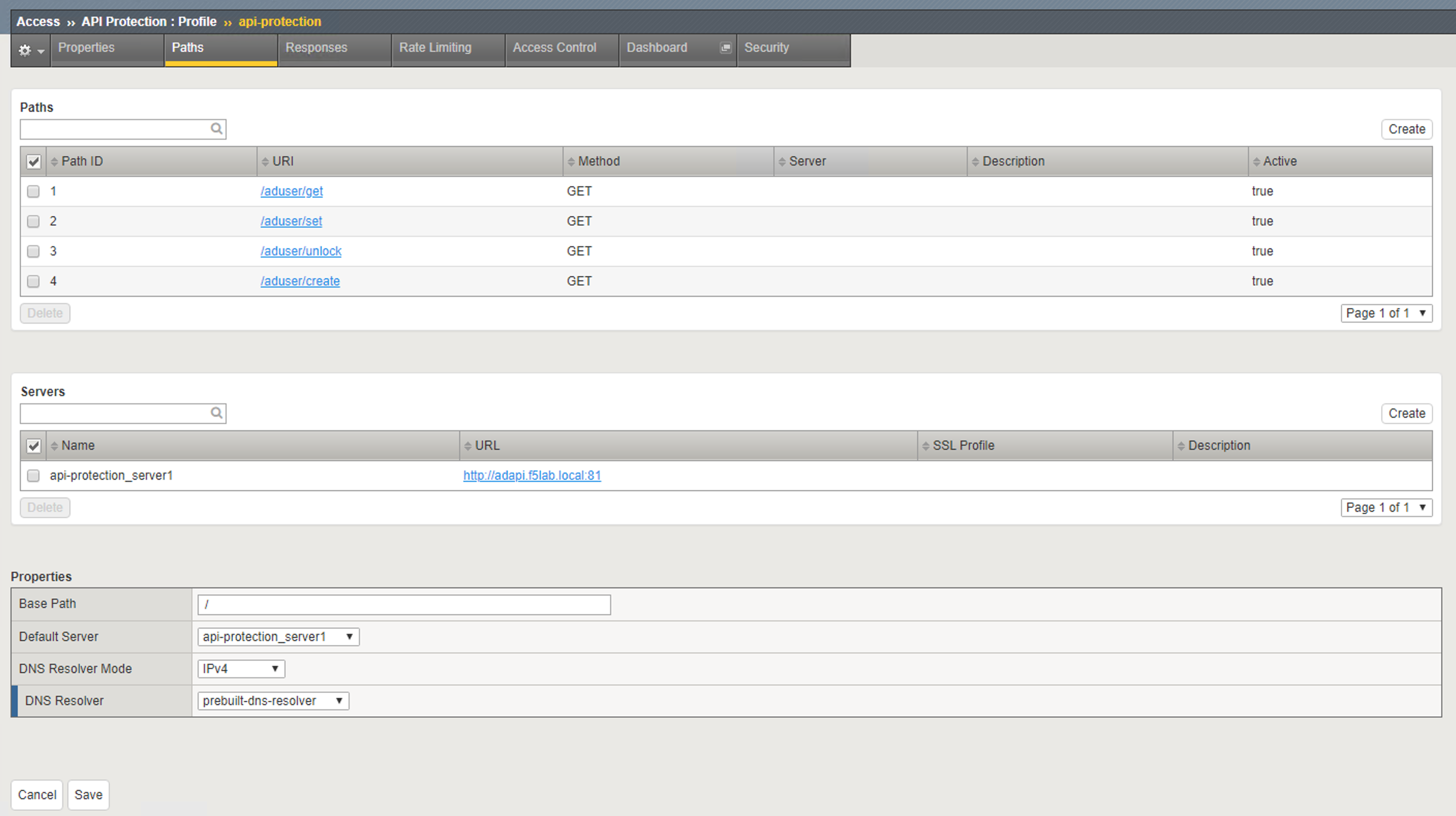
Task 2 - Explore the Path Configuration
- Note the Spec file contained four paths to various URIs
- Each URI only supports the Method GET
- The APIs server URL is http://adapi.f5lab.local:81
Task 3 - Associate a JWT Provider
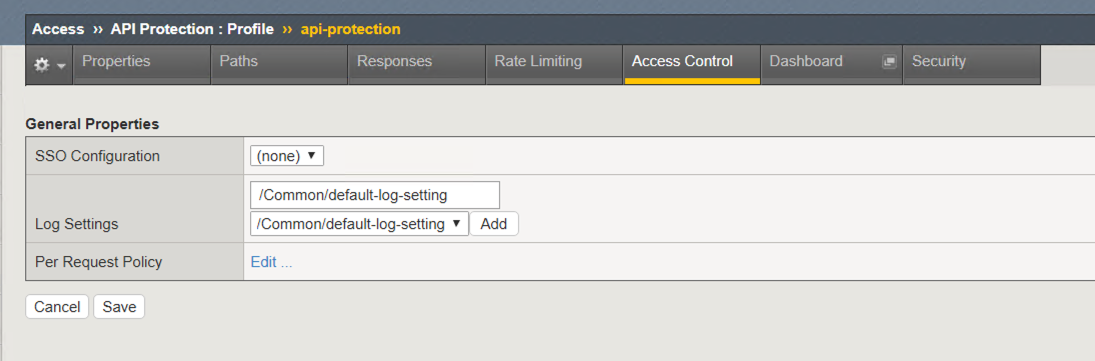
- Click Access Control from the top ribbon
- Click Edit (Per Request Policy)
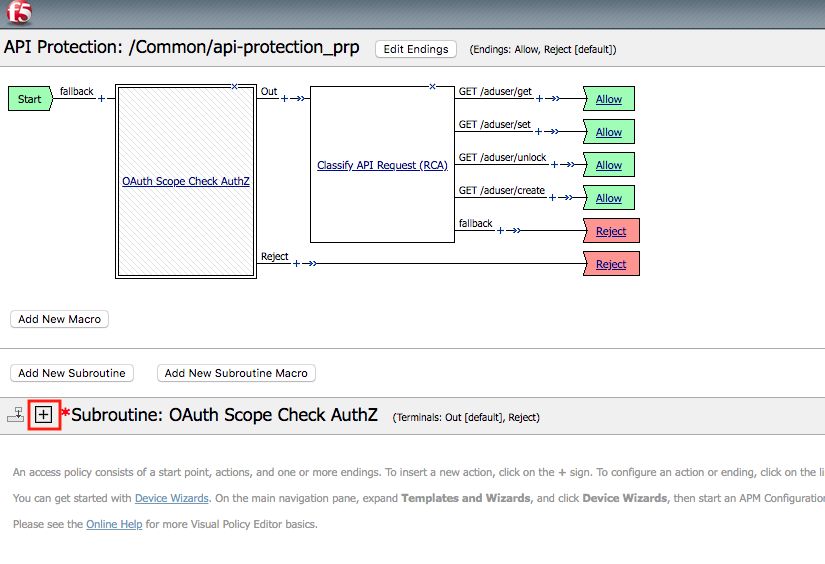
- Notice the same paths displayed in the API Protection profile appear here. Currently there is no fine-grained access control. We will implement it later in the lab
- Click the + (plus symbol) next the Subroutine OAuth Scope Check AuthZ to expand its properties:
Note
The OAuth scope agent currently has a red asterisk since no provider is associated with it.
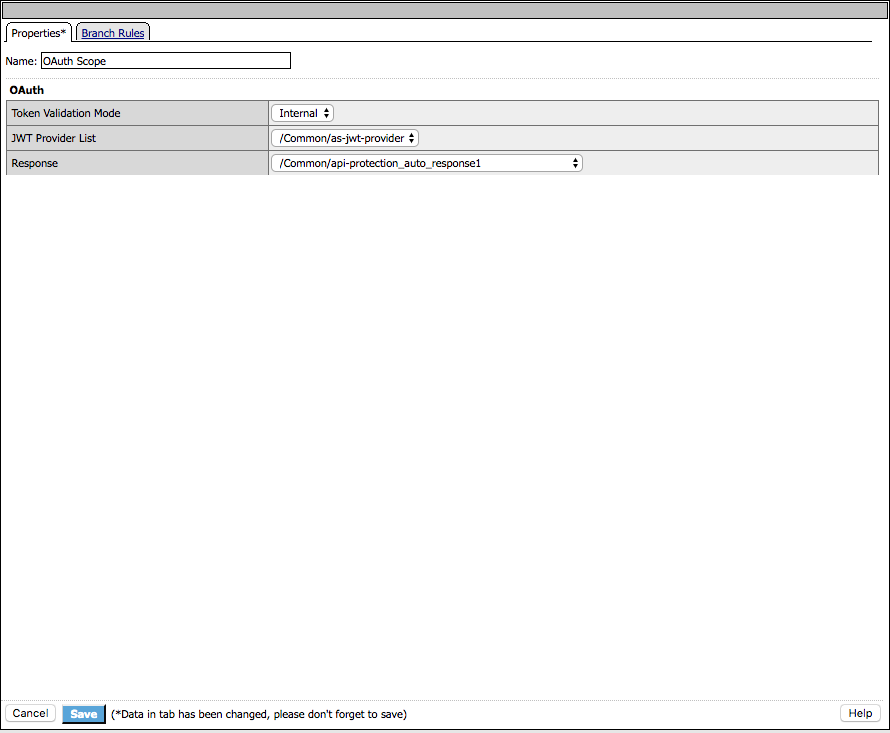
- Click OAuth Scope
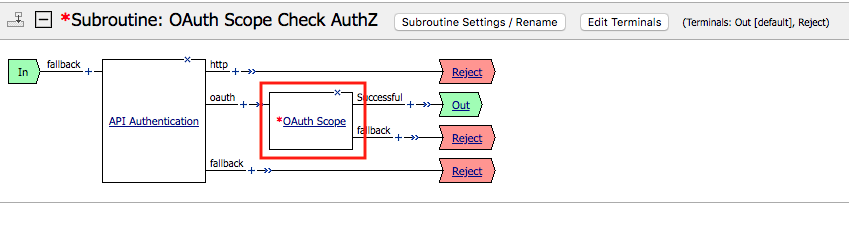
- Enter the following parameters:
- Token Validation Mode: Internal
- JWT Provider List: as-jwt-provider
- Response: api-protection_auto_response1
- Click Save