API Protection > Class - API Protection > Module 1 - Deploy an API Protection Profile Source |
Lab 1.3 - Create the api.acme.com virtual server
In this section, you will define which components you want to create as part of the API Protection configuration.
Task 1 - Create a virtual server
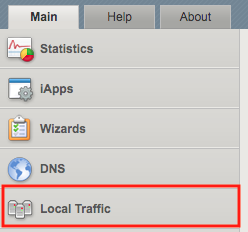
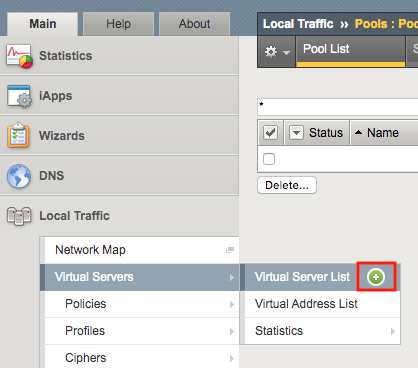
- From the web browser, click on the Local Traffic tab located on the left side
- Navigate to Virtual Servers >> Virtual Server List. Click the + (plus symbol)
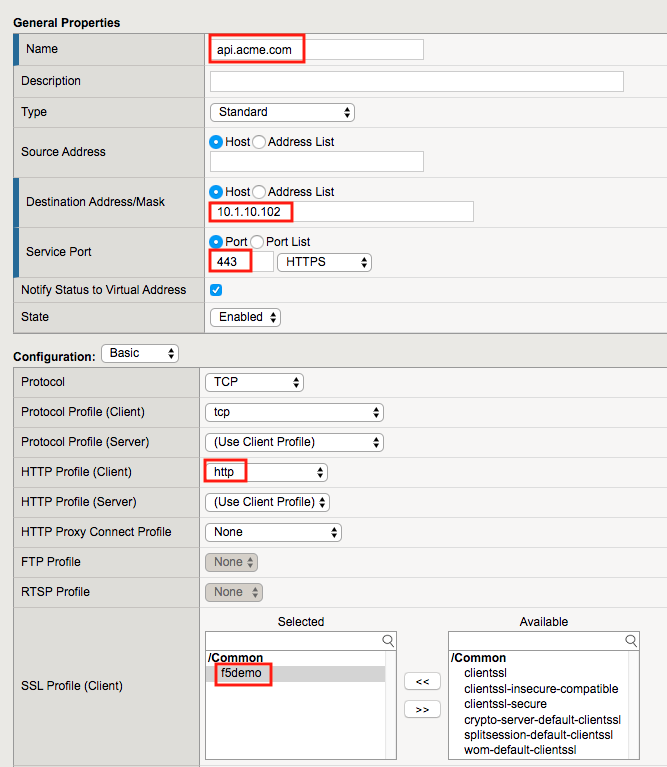
- Enter the following parameters:
- Name: api.acme.com
- Destination Address/Mask: 10.1.10.102
- Service Port: 443
- HTTP Profile (Client): http
- SSL Profile(Client): f5demo
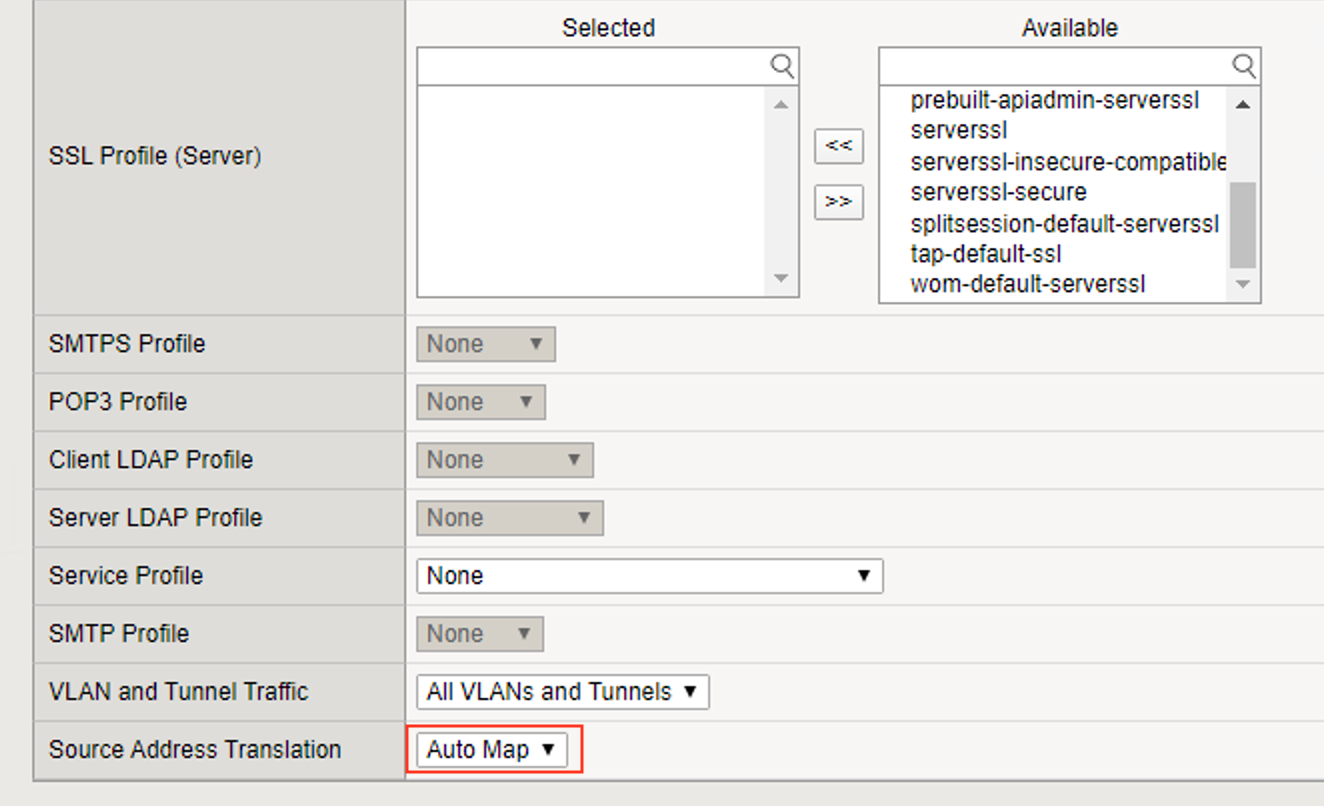
- Source Address Translation: Auto Map
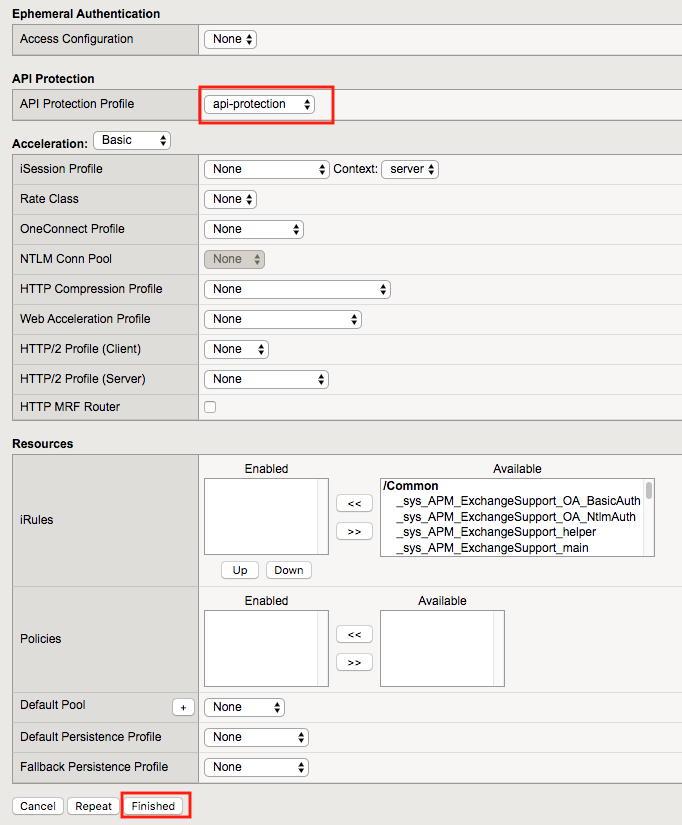
- API Protection: api-protection
- Click Finished